
 HaloVPN · Pro
More places. Fewer interruptions.
Make room for the way you browse, work and travel. Pro adds paid VPN locations and removes supported in-app ads.
Upgrade your everyday connection
More places to connect, fewer interruptions, and Pro access that stays with your Halo account.
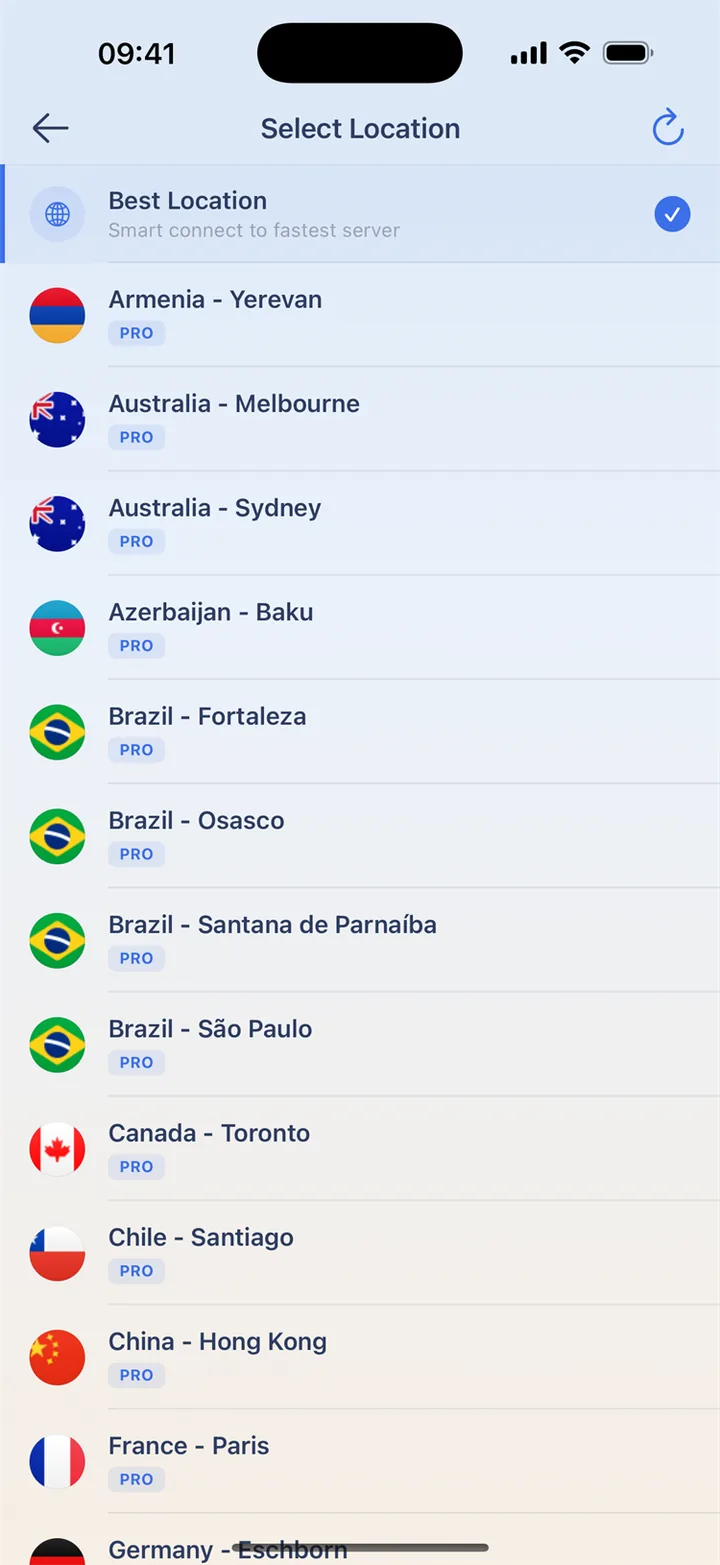
More countries. More cities.
Go beyond the free selection with Pro VPN locations. Choose a country or city that suits your everyday browsing and travel.
Explore locationsFewer ads. More focus.
Remove supported ads inside HaloVPN for a cleaner app experience. Spend less time on interruptions and more time on what matters to you.
Your account. Your devices.
Sign in with the same Halo account to use your existing Pro access in supported HaloVPN clients. Keep your access with you as you move between devices.
My accountPrivacy for everyday connections
Route traffic through a VPN connection using your selected location’s exit IP. Add a layer of protection on public Wi-Fi and unfamiliar networks.
Explore VPN privacy
Compare Free and Pro
| Feature | Free VPN | HaloVPN Pro |
|---|---|---|
| One-tap VPN connection | Included | Included |
| VPN connection protection | Included | Included |
| Location selection | Free locations | Free and Pro locations |
| In-app ads | Includes ads | Supported ads removed |
Available locations depend on your app version, network and plan. Check the current list in the app.
Website plans
Website prices are shown in USD. Sign in to see your final price and available payment methods. App Store and Google Play prices are separate. Annual prices cover a full year.
Loading current plans…
Choose a plan to go directly to checkout. Sign in to your Halo account to confirm the plan and payment method. Website plans use manual renewal. App store subscriptions follow the store’s renewal settings.
Before you choose
Do monthly and yearly plans have different features?
Both website plans provide Pro access. Choose the service period that works for you. A yearly price is the total for the year; any monthly equivalent is only a comparison, not monthly billing.
Can I pay on the website now?
Yes. Choose a plan to go directly to checkout, then sign in to your Halo account and confirm the payment method. Verified payment activates Pro access for the same account in supported apps. Website plans use manual renewal.
How do I manage my App Store or Google Play subscription?
View your subscription, manage renewal or request a refund in the store where you purchased. Prices, offers and refund policies follow that store’s terms. If your subscription is active but Pro is missing in HaloVPN, make sure your device uses the original store account, then try restoring your purchase in the app. Purchase and refund help
How can I check which features are available on my device?
Check the platform details on the features page and the corresponding options in your HaloVPN app. Review the Pro subscription benefits shown in the app before purchase. Explore features